
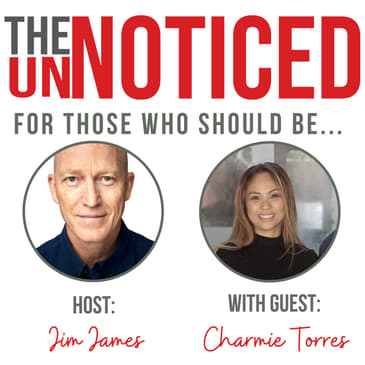
We've been trying out the NewoldStamp application and as it is our VA in the Philippines who has been doing the implementation, I invited her onto the show to discuss the ease of implementation, the cool features like the analytics and why the customer service is a 5/5.
Listen and decide for yourself, as certainly auto signatures are a must.
Read the article version of this episode - https://theunnoticed.cc/episode/how-much-work-are-you-making-for-your-virtual-assistant-when-you-task-them-with-setting-up-an-auto-signature-app-like-newold-stamp
If you want to know how to get noticed this show is for you. I have interviews, tools, tips, everything that an entrepreneur could need in order to help their organization to get noticed for free. Thank you for joining me on the unnoticed show.
Buzzsprout - Let's get your podcast launched!
Start for FREE
Please rate the show here.
Thank you for listening to this episode of the unnoticed to show. I hope that you've enjoyed. If you have, please do rate it on any of the players. If you'd like more information, go over to EASTWEST PR and subscribe to our weekly newsletter. Or connect with me on Linkedin that's just Jim James. I'd be delighted to connect with you and let me know how i can help you to get noticed.
Your LinkedIn Journey. Automated.
FREE 2 months trial. Your LinkedIn Journey. Automated.
Email Signatures Full of Brand Promise
Create Branded Email Signatures for All Employees in Few Minutes.
How to #getnoticed mastermind.
#getnoticed with courses and masterminds developed by experienced PR agency owner Jim James.
Support the show (https://lovethepodcast.com/Unnoticed)
The UnNoticed Entrepreneur is hosted & produced by Jim James.
Hello, and welcome to this episode of the Charmie and Jim Show. That's right. Today we've got Charmie Torres, who's joining us all the way from the Philippines and Charmie is our amazing virtual assistant. Hi, Charlmie.
Charmie Torres:Hi, Jim. Good morning. Thanks for having me here.
Jim James:It's my pleasure. And I've invited me on the show because I've been covering technologies and different ways of working. And the truth is that I find these new tools, and then I asked Charmie in the Philippines to help implement them. I thought it may be quite nice to hear from her how easy or difficult it is, and the difference that it's making two helping me to get my work done, which is really her job as our virtual assistant to Charmie. Thank you so much for being patient for a start with all the new tools I'm introducing.
Charmie Torres:No worries, Jim. My pleasure.
Jim James:She says that through slightly gritted teeth. Now Charmie. Let's talk about a tool that you've been implementing for us recently. And that is Newoldstamp the auto signature tool. Do you want just tell us how long ago we started to implement that? And kind of just take your initial impressions having set that up?
Charmie Torres:Sure. I think we set that up around before Christmas time. That was before we had a break. And setting up the Newoldstamp the designing and creation of the template was fairly straightforward. And however, the activation or installation of the signature to each employee is time consuming. And it requires a manual process every single time you need to update the signature.
Jim James:Now, is that because we are using Zoho mail? And it's not integrated into for example, the Microsoft Exchange Server do you think? Because cut and paste the signature? Don't we as an HTML file into our auto signature?
Charmie Torres:Right? No, not at all. I think that's the same process process that we will do. Even if we have even if we're not using Zoho mail.
Jim James:Ah, okay. So just take us through that then. So let's look, first of all, the design of the email templates for the auto signature. Is there one template or are there many templates? Did you find?
Charmie Torres:Yes, there are many templates that we could choose from. And the designing is quite easy. You just drag or drop or add lines to your signature. And the creation of the template, as I've mentioned earlier is fairly straightforward.
Jim James:Okay. And you could I think link, all the social media accounts, I think was quite easy to do, right?
Charmie Torres:That's right, yes. They have all the icons for their social media accounts. And you could just choose from from which icons, would you you know, you feel like putting in your signature?
Jim James:And what about the integration of photographs? For example, is that pretty easy?
Charmie Torres:Yes, it is. It's just as I mentioned earlier, it's just like a drag and drop, and you just save it in there.
Jim James:Okay. And then one of the things that we wanted to do was to have, for example, a banner, to the newsletter, and so on. Is it quite easy to include, then some sort of calls to action?
Charmie Torres:Yes, you do it, all you have to do just click it, and it will automatically go to your template, or to your master signature template.
Jim James:Okay, so that seems that sounds easy enough. Now, we've got just a few of us working under the East West PR brand tell us in terms of duplicating the signature to be standard for the team? How difficult has that been?
Charmie Torres:In regards to, you know, with the standard, it will all be there, you could make sure that it is all centered all the signatures. However, the duration of each signature takes a lot of time.
Jim James:Why does it take a lot of time? Because if there's a template and there are a bunch of templates, then why is it taking so long to actually make a signature?
Charmie Torres:In regards to time, Jim, just to be fair. To all of your employees, they would save a lot of time, all they need to do is just copy and paste the signature from the link that we sent to their signature settings on their email. However, on the VA side or whoever, let's say the business owner setting this up takes a lot of actions to update a single signature because the newoldstamps has limited feature like like, let's say their icons are limited, and there were no option to insert a slogan. And then sometimes after pasting the signature, the icons are not lined. And I think that's the main drawback.
Jim James:Right? Right.
Charmie Torres:So doing it manually eventually is more efficiently in the end than using the tool. Well, okay,
Jim James:that's, that's pretty harsh, isn't it then so it's easier. Okay, so yeah, so Okay, so we've used the Newoldstamp. And yeah, when we've updated it, I found that I had trouble aligning the text, with the sort of moving it around on the on the wiziwig on the template didn't really move the text as easily as I thought that it would have done. But it sounds as though making the template takes more time. But then you can create the same template for everybody. And for the staff members. It's quicker. So it's kind of a centralization of the job. And I guess, what we have been reduced to standardize the auto signature, haven't we.
Charmie Torres:Because what happened is I've been playing around it, like, let's say we if we need to update a website, or if we need to update one of the social media icons or links that we need to add. What we need to do then is to update it from the master signature, and then it will automatically go to the signature list. However, it will not automatically update the signature that were installed on each team member. So we have to redo it again. However, in fairness to their customer service, which is five out of five, they said that they are still developing their platform.
Jim James:Okay, because I had thought that if you update the template centrally in the Newoldstamp, that everybody using the signatures would be automatically updated. But you're saying that's not the case, you have to still manually update it right.
Charmie Torres:We just have to resend again, the signature and have them installed it again. I see that's what happened. Yes.
Jim James:And from what you understand if we had Microsoft Exchange? Would that be different?
Charmie Torres:I really can't speak because I To be honest, Jim, I haven't tried it in that platform yet. Yeah. Okay, infernus, two new words. And it will update because what happens is I updated from the department master signature. And then from there, I could create each signature of each team member. So I would then have a signature list. And then this signature list, I will send it to each team member that they will install, copy paste in the signature settings. So if ever, we need to update the signature, or we need to update something from the signature, I will update it from the department master signature, and it will automatically update all the list in the signature. But then we need to resend it to each team member.
Jim James:Okay, so we need to find out from Newoldstamp whether if we use one of the sort of the main email exchanges, whether that would automatically update or not. Okay, what about the metrics? Have you had a chance to look at some of the metrics Charmie that we're getting?
Charmie Torres:I did actually, this are one of the best feature of Newoldstamp that I that I think it's really cool is the analytics option, where you will be able to check the data on the number of clicks, impressions on each variable on your signature i.e. your Facebook or LinkedIn link or your podcasts link? And then what day was that? And which country? Is that from? And what device they were using? I think that's a coolest feature of Newoldstamp.
Jim James:Okay, good. So that would be the if you like the differentiation between just kind of your own auto signature in your own computer. But so we've got a little bit of UI issues would be the negative from what you're saying. But the standardization for everybody on the team having the same signature, or even indeed having a signature because often people don't make a signature, right? That would be the real benefit. Plus the nice analytics.
Charmie Torres:Their customer service. Jim, I must mention that their customer service is five out of five, they walk you through and they reply straight away.
Jim James:Great. So it's a good company to work with.
Charmie Torres:So you've got to look at the cost of it, I suppose, if you want to spend $35 a month to standardize the signatures. So in order to make it worthwhile, you need to have about 25 people where you're creating one standardized email template $36 per month for 25 signatures or $432 charge annually. And then the next one will be $54 per month for 50 signatures.
Jim James:Okay, so It's a it's an investment, that if you've got that many members of the team makes a lot of sense. But if you've got a smaller team, you have to ask yourself whether it's worth the 3, $400 a year to standardize all the emails, but it does mean of course that you can, you can check all the metrics. Anything else you want to tell us tell me about new old stem?
Charmie Torres:Sure, one of the neat features of it is the they have the user friendly interface, you could create the signature straightaway without having tutorial, because it's kind of straightforward. And then again, their customer service five out of five, that's the best thing about Newoldstamp. And again, the coolest feature they have is the analytics option.
Jim James:Okay,perfect. So Jamie, thanks for giving us your expert opinion on implementing the Newoldstamp.
Charmie Torres:No worries Jim. My pleasure.
Jim James:Perfect. Thanks so much for joining us on the Speak PR program. Now today talked over about whether or not you should use an auto signature application. We've been looking at Newoldstamp, which is a great up and coming company. And our verdict is that it does some nice work, but some of the implementation for the individual could do with a bit of an enhancement. But we like the service. And we like the analytics. Thank you so much for listening. And if you'd like more information about Speak PR come to the Eastwest PR website for our newsletter, or you can come to the speakpr.co website for our five stage methodology and our masterminds. We've been listening to Charmie Torres in the Philippines.
Charmie Torres:Thank you. Thank you, Jim.
Jim James:And Jim James. Thank you so much for listening.