
🔑 *Key Takeaways*:
1. **Initiating Content Creation**: Start by preparing your content script using ChatGPT. Tighten it up and remove unnecessary elements such as asterisks and links.
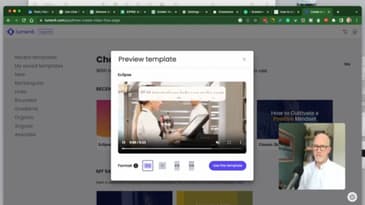
2. **Entering Lumen 5.7**: Transition into Lumen 5.7, which is a user-friendly video creation tool. Simply paste your content into Lumen 5.7 and select a template.
3. **AI-Powered Summarization**: Lumen 5.7's AI will analyze the text and create a summary, which then forms the base for your video content.
4. **Customization & Personalization**: Tweak your video’s appearance by selecting colors and fonts that align with your brand. You can also add a logo or even use a voiceover.
5. **Preview & Finalize**: Preview your video and make necessary adjustments before you finalize. Export the final product and share it with your audience!
🛠️ For additional capabilities such as more avatars, languages, and customizable video templates, you can explore other AI video generator tools like Synthesia which integrates with ChatGPT and enables transforming simple text into professional-looking videos [[1](https://www.synthesia.io/tools/gpt-3-video-generator)].
🧠 *Did you know?* The human brain processes visuals 60,000X faster than text. Including videos on your website can increase conversion rates by 80% [[1](https://www.synthesia.io/tools/gpt-3-video-generator)].
👁️ Sit back, watch this video, and unlock the endless possibilities of creating videos with the power of AI! 🤖
*Date*: June 29, 2023
#ChatGPT #Lumen5 #VideoCreation #AI #Tutorial